CLI COMMAND MANUAL (`fux`)
Both the native Rust client and the universal Bash script share the exact same short command name (fux), identical bilingual options (EN & PT-BR), and unified configuration.
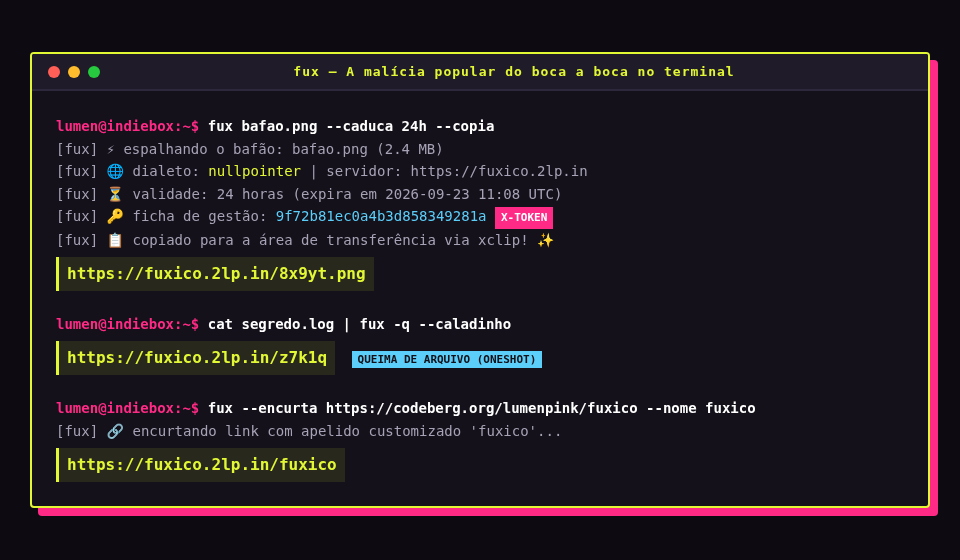
⚡ The Golden Rule of Ergonomics
Deboche and status telemetry go to stderr. The clean URL goes to stdout.
This design guarantee ensures fux will never break your shell pipelines, clipboard commands, or automated cron scripts:
# Upload and copy directly to clipboard (xclip / wl-copy / pbcopy):
fux photo.png --copia

# Assign clean URL straight into a shell variable:
url=$(fux report.pdf --caladinho)

# Pipe command output directly into an ephemeral oneshot link:
dmesg | fux -q | xclip -selection clipboard
🎛️ Command-Line Flags Reference
Fuxico provides full bilingual flag parity. You can freely mix English and Portuguese options:
| Flag (Short) | English Long Flag | Portuguese Long Flag | Description |
|---|---|---|---|
-e <DUR> |
--expire <DUR> |
--caduca <DUR> |
Retention duration (e.g. 10m, 2h, 7d, or hours integer). |
-q / -o |
--oneshot |
--queima |
Queima-de-arquivo: file self-destructs immediately after first download. |
-s |
--secret |
--segredo |
Generates an unguessable 16-character high-entropy secret slug. |
-n <NAME> |
--name <NAME> |
--nome <NAME> |
Custom friendly filename subpath alias (e.g. /) or custom slug. |
-u <URL> |
--url <URL> |
--encurta <URL> |
Shorten a target web URL and emit a redirect link. |
-c |
--clipboard |
--copia |
Automatically copy resulting link to system clipboard. |
-Q |
--quiet |
--caladinho |
Suppress stderr deboche completely; output pure URL only. |
-l |
--list |
--lista |
List active uploads (requires management or master auth token). |
-d <SLUG> |
--delete <SLUG> |
--apaga <SLUG> |
Delete a file or URL redirect using its slug and management token. |
-t <TOK> |
--token <TOK> |
--ficha <TOK> |
Management deletion token (X-Token) or instance master auth token. |
-S <URL> |
--server <URL> |
--servidor <URL> |
Target Fuxico server instance (default: https://fuxico.2lp.in). |
-D <DIAL> |
--dialect <DIAL> |
--dialeto <DIAL> |
Communication protocol: nullpointer (0x0.st) or rustypaste. |
⚙️ Unified Configuration File
Configure defaults for both Rust and Bash clients in ~/.config/fux/config.toml:
# Server URL
server = "https://fuxico.2lp.in"

# Master auth token (for private instances) or default deletion token
token = "tatanka"

# Default communication dialect (nullpointer or rustypaste)
dialect = "nullpointer"

# Default expiration duration
expires = "24h"

# Default oneshot burn mode
oneshot = false

# Automatically copy generated link to clipboard
clipboard = true
🔄 Upstream Clients Compatibility
Already have rpaste (rustypaste-cli) or 0x0 installed on your machine? They work out of the box with zero modifications:
rustypaste-cli (rpaste)
Set the environment variable or ~/.config/rustypaste/config.toml:
export RPASTE_SERVER="https://fuxico.2lp.in"
Then use standard rpaste commands:
rpaste photo.png -o -e 2h
0x0.st Client (AndyRusso / olavfosse)
Pass the Fuxico server URL as argument or export default:
export NULLPOINTER_URL="https://fuxico.2lp.in"
Full compatibility with token headers and deletion:
0x0 -s -e 48 document.pdf